A headless CMS for your Next.js blog.
Your team writes and publishes in Marble. Your Next.js app fetches posts with a typed SDK and renders them with your own components.
How it works
From draft to deployed page.
Marble stores and serves your content. Next.js decides how it looks and when it renders.
- 1
Write in Marble
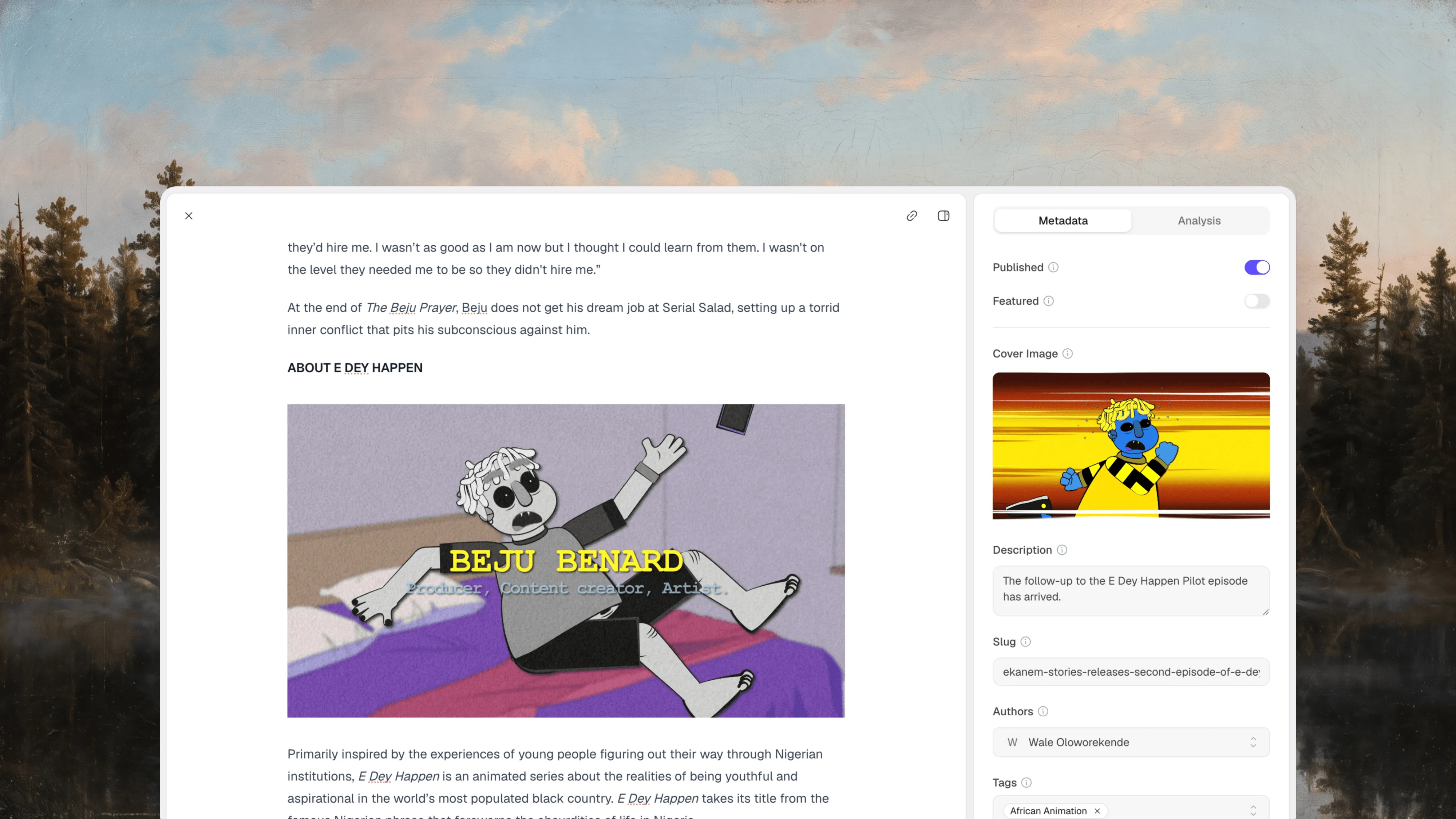
Draft posts with images, video, and embeds. Set the slug, description, cover image, authors, category, and tags in the sidebar.
- 2
Fetch on the server
Call the SDK from Server Components or route handlers. Your API key stays in environment variables and never reaches the browser.
- 3
Render with your components
Content arrives as sanitized HTML, or as Markdown if you prefer. Style it with your own components or Tailwind Typography.
- 4
Refresh on publish
Revalidate on a timer with ISR, or let a Marble webhook call revalidatePath as soon as a post changes.
Writers publish without a pull request.
Posts live in Marble, not in MDX files in your repository. Editors get a focused writing view, a media library, and readability feedback. Developers don't redeploy to fix a typo.
Explore the editor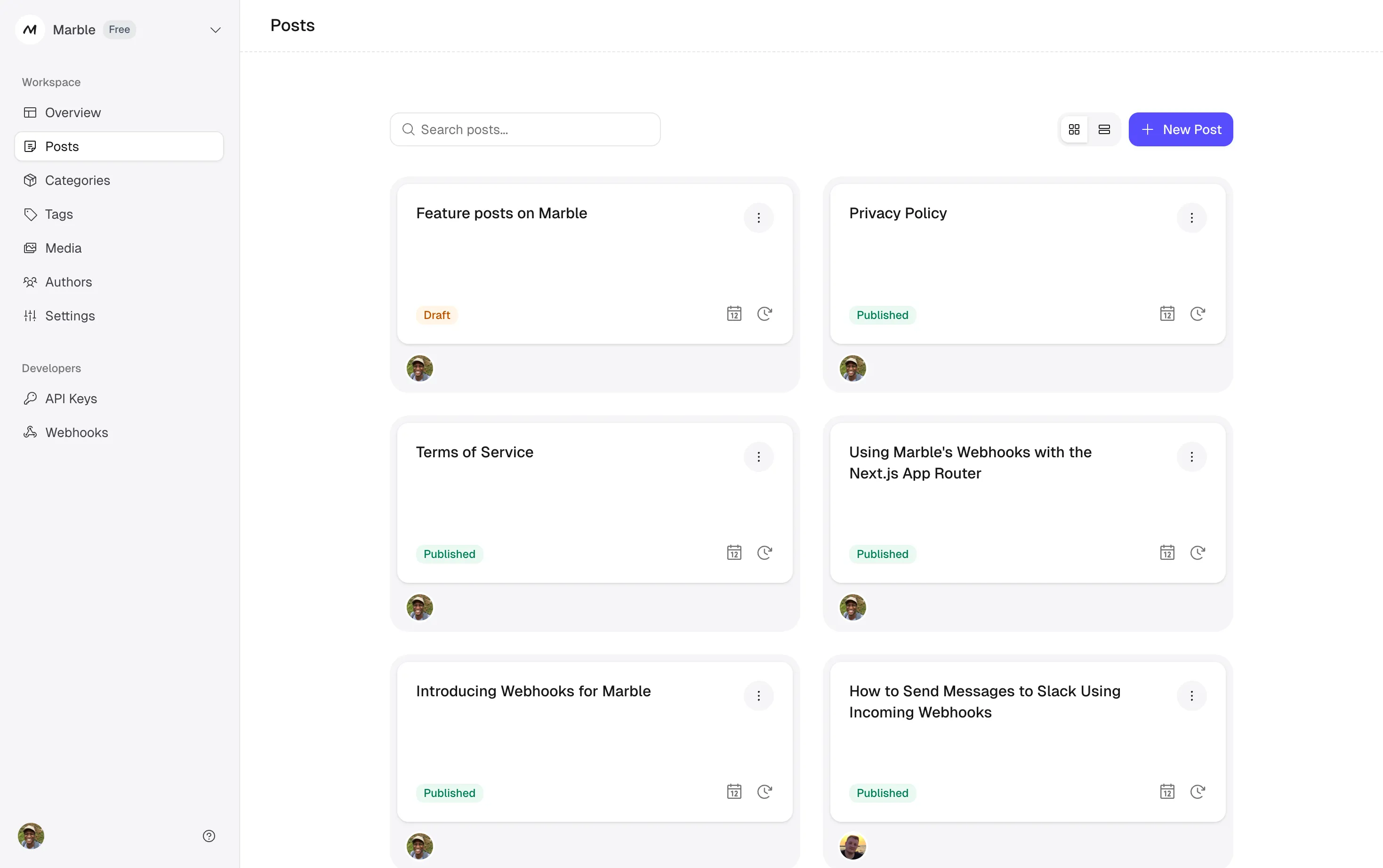
Integration
Render a post in one file.
Install the Marble SDK, add your API key to the environment, and fetch posts in a Server Component. This page refreshes at most once an hour.
To update the moment you publish, point a Marble webhook at a route handler that calls revalidatePath. Marble signs every delivery, retries failed ones, and keeps a delivery log.
import { Marble } from "@usemarble/sdk";
import { notFound } from "next/navigation";

const marble = new Marble({ apiKey: process.env.MARBLE_API_KEY });

// Refresh at most once an hour, or on demand from a webhook
export const revalidate = 3600;

export default async function PostPage({
  params,
}: {
  params: Promise<{ slug: string }>;
}) {
  const { slug } = await params;
  const { post } = await marble.posts
    .get({ identifier: slug })
    .catch(() => notFound());

  return (
    <article>
      <h1>{post.title}</h1>
      <div dangerouslySetInnerHTML={{ __html: post.content }} />
    </article>
  );
}
Built for the way Next.js apps fetch data.
Typed SDK
@usemarble/sdk includes TypeScript types for posts, authors, categories, tags, and custom fields, plus automatic retries.
SDK referenceFiltering and search
List posts by category or tag, featured posts only, or a search query. Exclude categories such as a changelog from your blog feed.
Filtering optionsDraft previews
Read unpublished posts with a private key that has the posts_read_drafts scope, then render them on a preview route.
API keys and scopesMedia on a CDN
Upload images and video to Marble's media library. Every file gets a stable CDN URL you can use in posts or components.
Media docsCustom fields
Add typed fields such as a date, a select, or a rich text summary to your posts without changing your CMS code.
Custom fieldsMCP for AI agents
Let Codex, Claude Code, Cursor, or VS Code find, draft, and update posts in your workspace through scoped tools.
Marble MCP
Is Marble the right fit for your Next.js site?
A good fit when
- You're adding a blog, changelog, or resource section to an existing Next.js app or marketing site.
- People who don't use Git need to write, edit, and publish.
- Your content fits a post model: authors, a category, tags, and a few custom fields.
- You want a REST API and SDK instead of a query language to learn.
Consider something else when
- Only developers write, and MDX files in the repository already work for you.
- You need custom content types or a page builder. A schema-based CMS will suit you better. See Marble vs Sanity.
- You need built-in newsletters or paid memberships. See Marble vs Ghost.
- You rely on scheduled publishing or several people editing the same post at once. Marble doesn't offer either yet.
Go deeper.
The guide and template are the full reference for this integration.
- Next.js integration guideSet up the SDK, list pages, and post routes step by step.
- Next.js blog templateA complete example with tag pages, metadata, and webhook revalidation.
- How to build a blog with Next.js and a headless CMSA longer walkthrough on the Marble blog.
Using a different framework? See Marble for Astro or how Marble works as a headless CMS.
Frequently asked questions
Common questions about using Marble with Next.js.
Does Marble work with the Next.js App Router?
Yes. The Marble SDK runs in Server Components, route handlers, and generateStaticParams. The Next.js guide and example repo both use the App Router.
Do I have to expose my API key to the browser?
No. Fetch content on the server and keep MARBLE_API_KEY in your environment variables. Public keys are read-only, but Marble recommends using them on the server so nobody else can use up your rate limit.
How do pages update after I publish a post?
Use time-based revalidation with export const revalidate, or subscribe a Marble webhook to post events and call revalidatePath or revalidateTag from a route handler. Marble signs each delivery so you can verify it came from your workspace.
Can I preview drafts before they go live?
Yes. Create a private API key with the posts_read_drafts scope and request posts with the status set to draft. Private keys can hold write scopes, so only use them on the server.
Is post content HTML or Markdown?
HTML by default. Marble sanitizes it before sending it, so you can render it directly. Pass format: "markdown" if you'd rather render Markdown with your own pipeline.
How many API requests will my site use?
Pages that are statically generated or revalidated with ISR call the API when they build or revalidate, not on every page view. The Free plan includes 5,000 API requests a month, Hobby includes 25,000, and Pro includes 50,000. See pricing for current limits.
Is there a Next.js starter I can clone?
Yes. The Next.js example includes a post list, post pages, tag pages, metadata, and a webhook route for revalidation.
Add a blog to your Next.js app.
Create a workspace, publish your first post, and fetch it from your app with an API key.